In the world of continuous integration and continuous deployment (CI/CD), automation is king. However, there are often critical stages in a deployment pipeline where a human touch – a manual approval – is not just desirable but absolutely essential. Think about deploying to production, releasing a new public version, or provisioning expensive infrastructure.
GitHub Actions, while powerful, doesn’t have a built-in “manual approval” step out of the box like some other CI/CD platforms. But fear not!
GitHub Actions provides a native and secure way to implement manual approvals using Environments, required reviewers, and deployment protection rules—without third-party tools.
In this article, you’ll learn:
- Why manual approvals matter in CI/CD
- How GitHub Actions handles approvals internally
- Step-by-step implementation using Environments
- Real-world examples (Dev → Prod)
- Best practices and common mistakes
Why Do You Need Manual Approvals?
Before we dive into the “how,” let’s quickly recap the “why”:
- Cost Control: Prevent the deployment of costly resources without explicit consent.
- Risk Mitigation: Prevent accidental or premature deployments to sensitive environments.
- Quality Assurance: Ensure a human reviewer has signed off on changes, especially for user-facing features or critical bug fixes.
- Compliance: Meet regulatory or internal compliance requirements that mandate review before specific actions.
Instead of relying on Slack messages or custom scripts, GitHub Actions provides a first-class approval mechanism.
How Manual Approval Works in GitHub Actions
GitHub Actions does not use a traditional “pause and wait” step.
Instead, approvals are enforced through GitHub Environments:
Key Concepts
| Feature | Purpose |
|---|---|
| Environment | Logical deployment target (dev, staging, prod) |
| Required Reviewers | Users or teams who must approve |
| Environment Secrets | Secrets scoped to that environment |
| Deployment Protection Rules | Enforce approvals before job runs |
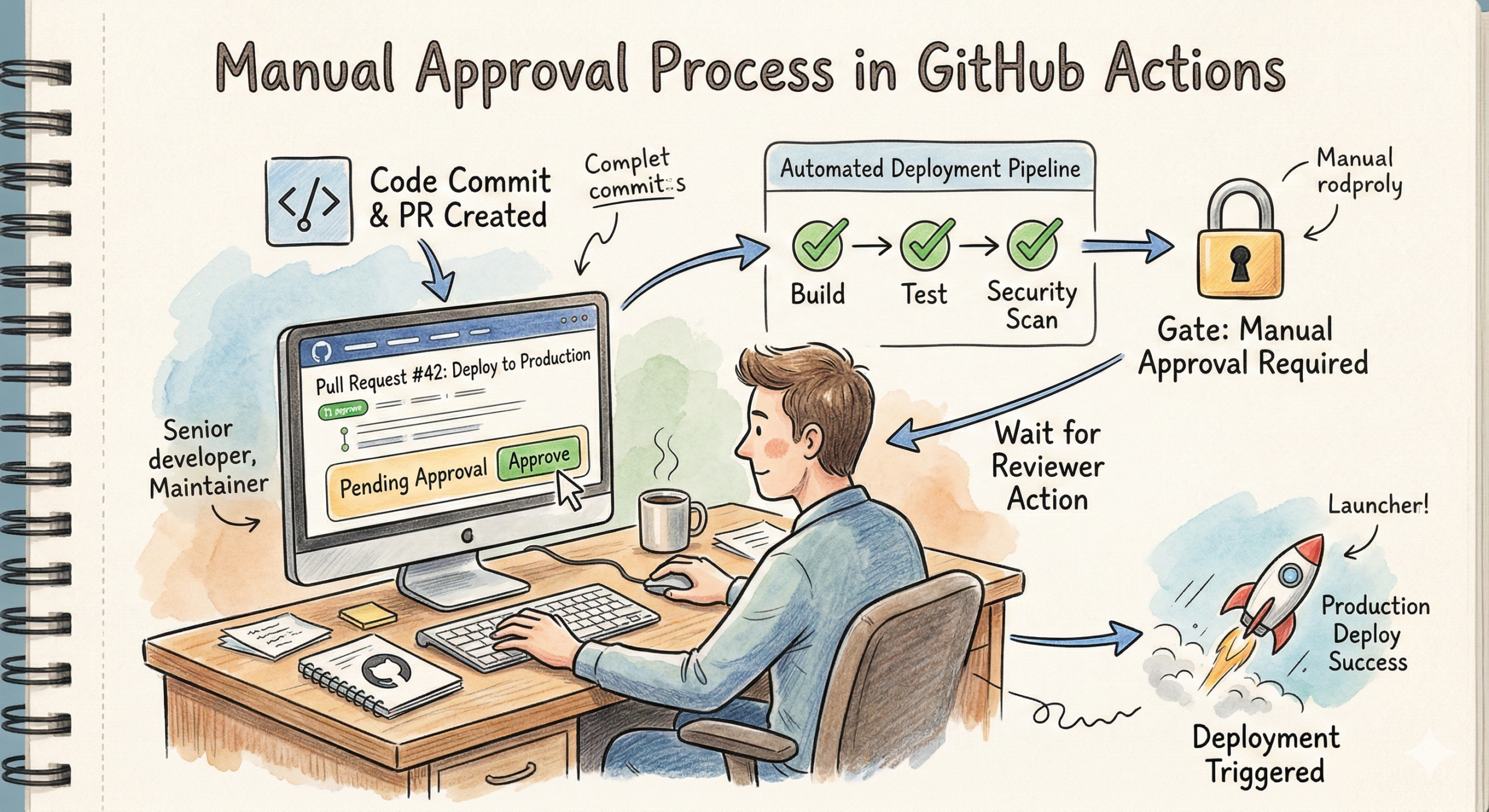
Once a workflow targets an environment:
- GitHub pauses execution
- Sends approval notifications
- Continues only after approval
Step 1: Create a GitHub Environment
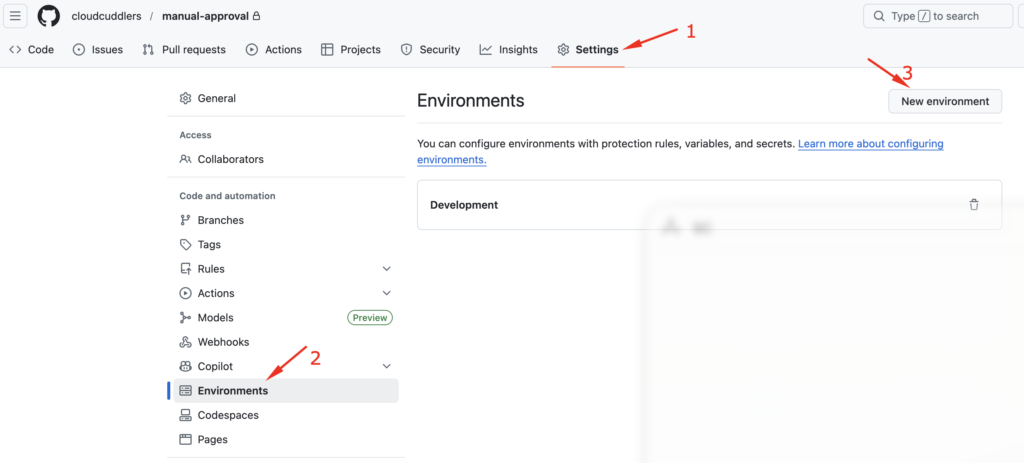
- Go to your repository
- Navigate to
- Settings → Environments
- Click New environment
- Name it (e.g.
production)
Step 2: Configure Required Reviewers
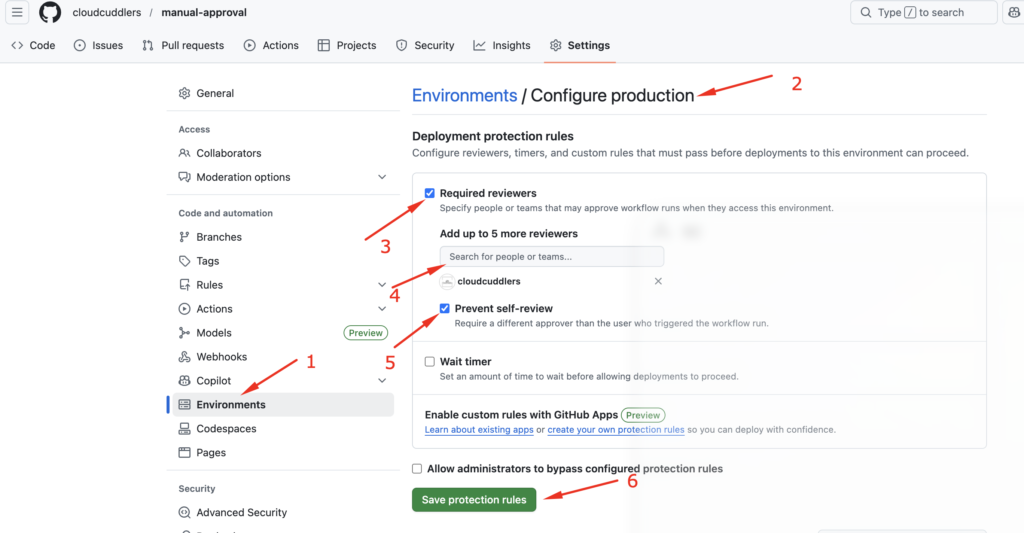
Inside the environment settings:
- Enable Required reviewers
- Select:
- Specific users
- OR GitHub teams (recommended)
- (Optional) Enable:
- Wait timer
- Branch restrictions
Example Configuration
- Branch restriction:
main - Environment:
production - Required reviewers:
cloudcuddlers
This ensures only approved deployments reach production.
Step 3: Use the Environment in Your Workflow
To illustrate the setup, I used three sample files: the application code (index.html), the container definition (Dockerfile), and the automation workflow (deploy.yml).
<!DOCTYPE html>
<html>
<body>
    <h1>Hello from a Secure Container!</h1>
    <p>This was deployed only after manual approval.</p>
</body>
</html>
# Use a lightweight Nginx image
FROM nginx:alpine
# Copy our custom HTML file to the Nginx server directory
COPY index.html /usr/share/nginx/html/index.html
This workflow will build the Docker image, “push” it (simulated here), and then wait for your sign-off before the final deployment step.
name: Docker Build and Manual Deploy

on:
  push:
    branches: [ "main" ]

jobs:
  # STEP 1: Build the image automatically
  build-and-test:
    runs-on: ubuntu-latest
    steps:
      - name: Checkout Code
        uses: actions/checkout@v4

      - name: Build Docker Image
        run: docker build -t my-web-app:${{ github.sha }} .

      - name: Run Security Scan (Optional)
        run: echo "Running Trivy scan here..."

  # STEP 2: Wait for Approval and Deploy
  deploy:
    runs-on: ubuntu-latest
    needs: build-and-test
    environment: production  # Trigger: Must match the Environment name in Settings

    steps:
      - name: Deploy to Server
        run: |
          echo "Pulling image my-web-app:${{ github.sha }}"
          echo "Starting container on Production Server..."
What Happens Here?
- Workflow starts on
main - Job targets
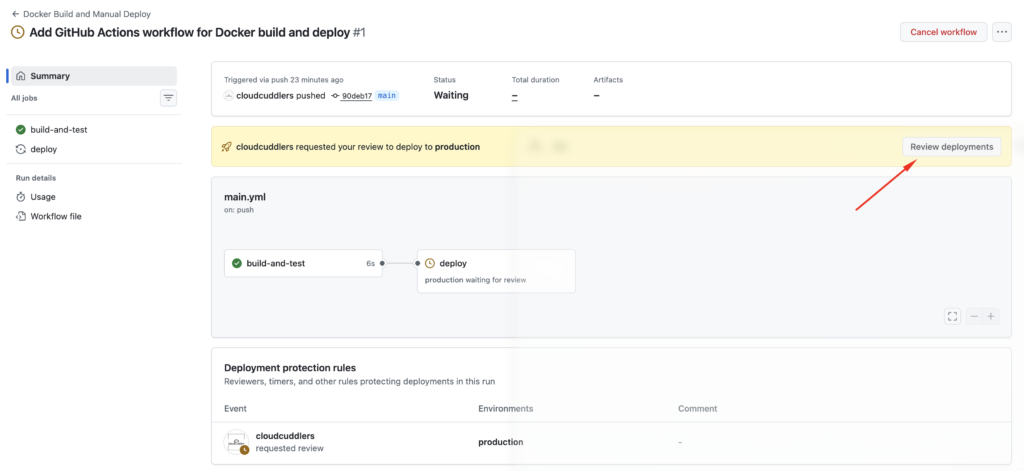
productionenvironment - GitHub pauses the job
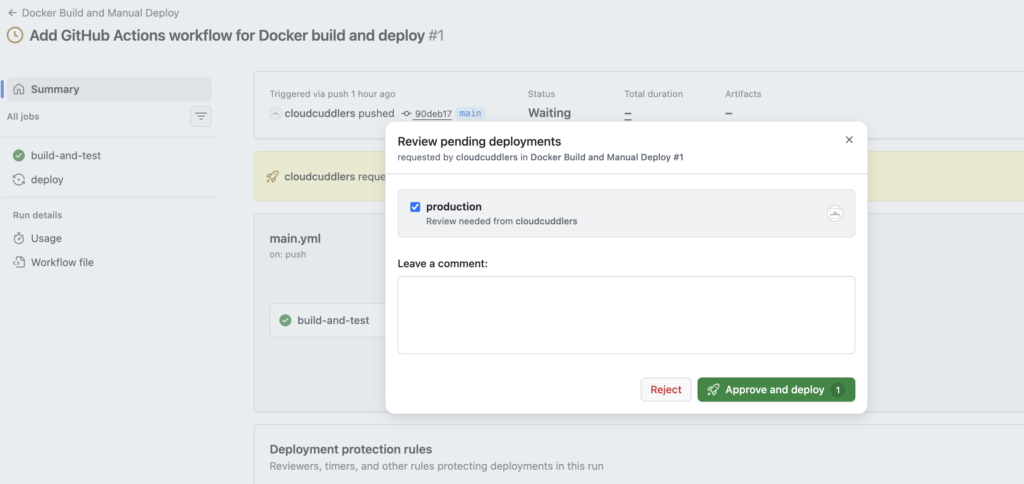
- Reviewers receive approval request
- Job resumes after approval
Manual approvals in GitHub Actions are:
- Native
- Secure
- Auditable
- Easy to implement
By using Environments and required reviewers, you get enterprise-grade deployment controls without slowing down your CI/CD pipelines unnecessarily.
If you’re building production-ready DevOps pipelines, manual approvals are not optional—they’re essential.
Subscribe to Blog via Email
Enter your email address to subscribe to
this blog and receive notifications of new posts by email.